
iVestor Virtual Cards: The Smarter, Safer, More Flexible Way to Spend
With iVestor, you get up to two free virtual cards that you can personalise, secure instantly, and use across your entire lifestyle.
You can save your virtual card details for recurring payments and subscriptions on platforms like Amazon, Booking.com, Talabat, and more. Set it as your default card for these payments and enjoy a safer, more convenient way to pay—fully under your control.
What Exactly Is an iVestor Virtual Card?
An iVestor virtual card is simply a virtual debit card inside your phone. It has a card number, expiry date, and CVV.
- It works online, in apps, and you can add it on Apple Pay & Google Pay
- You can check transactions instantly
- You can freeze, delete, or replace it anytime
It’s the perfect tool for a lifestyle that’s already digital. You set it up in seconds and start using it instantly.
Two Free Virtual Cards, Designed Around the Way You Spend
Having separate cards helps you keep different types of spending organised and easier to track.
It also adds an extra layer of security, as you can pause or replace one card without affecting the rest of your money. Overall, it gives you more control, clarity, and peace of mind in your day-to-day payments.
(you can try to change the names, “Physical iVestor Card 1” “Virtual card 1” “Minor Card 1” etc.)
Instead of giving you just one card for everything, iVestor gives you up to two free virtual cards, each one fully customisable. This lets you organise your spending in a way that actually makes sense.
Here’s few ideas on how you can use them:
Shopping Card: Amazon, Noon, Talabat, groceries.
Travel Card: Flights, hotels, Uber, Careem
Subscriptions Card: Netflix, Spotify, OSN, Apple, Du, Etisalat.
Fun/Lifestyle Card: Dining, gifting, cafés, personal spending.
Each card can be renamed, recoloured, topped up separately, and controlled individually.
Stay Organised With Transaction Categories
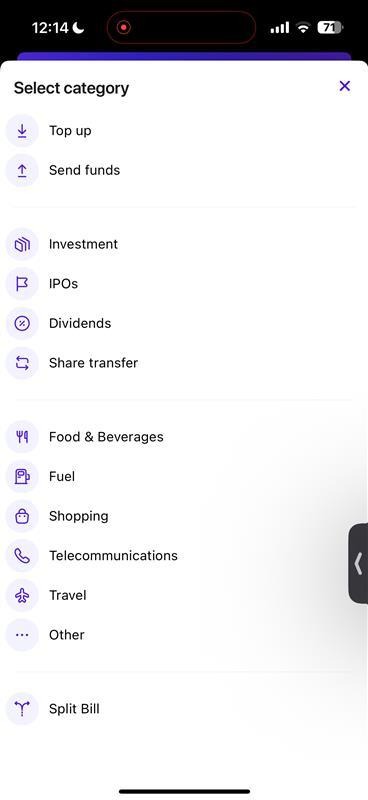
Keeping track of your spending is incredibly simple on iVestor.
Every time you use your virtual card, iVestor helps you categorise your transactions so you always know where your money is going.
This gives you a clean, organised view of your month, no spreadsheets, no guesswork, just clarity.
Instant Security Controls
(can add image of the control screen)
Virtual cards are built for security, and iVestor makes it even easier:
- Freeze instantly: If something feels off, pause your card with one tap.
- Delete & replace anytime: Create a brand-new card instantly, no calls, no waiting.
- Spend limits: Control how much each card can use per day or month.
This is why virtual cards are ideal for subscriptions, shopping, and online spending.
Use Your Virtual Card to Subscribe to IPOs
A unique advantage of iVestor is the ability to use your virtual card for IPO subscriptions.
Your transaction history shows each IPO subscription clearly, making it easier to track your investments.
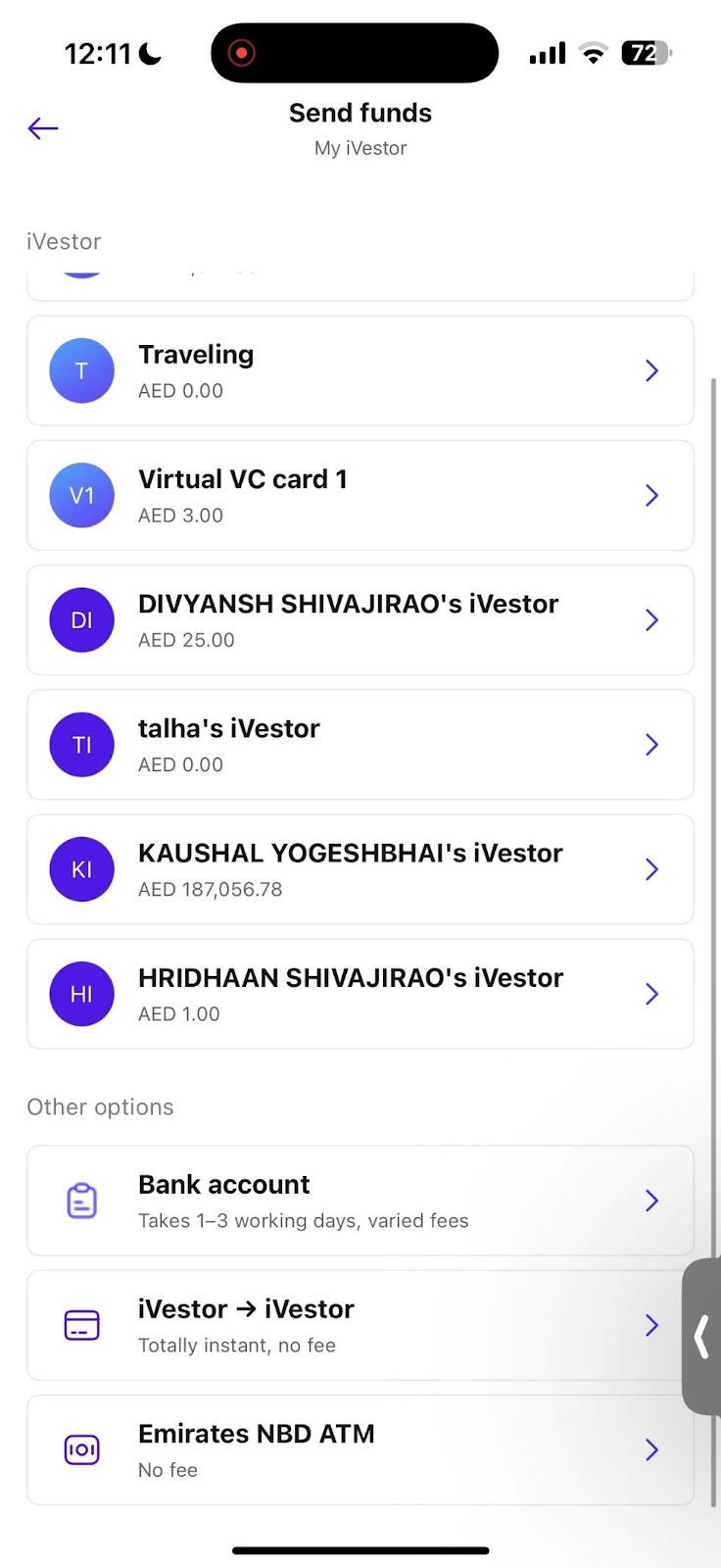
Send Money Instantly With iVestor → iVestor Transfers
- Instant
- Free
- Based on phone numbers
Perfect for:
- Splitting bills
- Sending pocket money
- Paying friends back
- Sharing money with family
It’s one of the fastest, easiest peer-to-peer payment experiences in the UAE.
Enjoy creating your virtual cards and using them effortlessly for your everyday payments, subscriptions, and online shopping, all fully under your control with iVestor.